 SafeSelect
 CLI / VISUAL GUIDE
SafeSelect command gallery
A visual tour of the CLI, grouped by the job each command helps you finish.
Every image comes from the SafeSelect CLI or the disposable demo fixture. Use the command text below the image as the copyable version; the output is the part worth studying.
Import connections
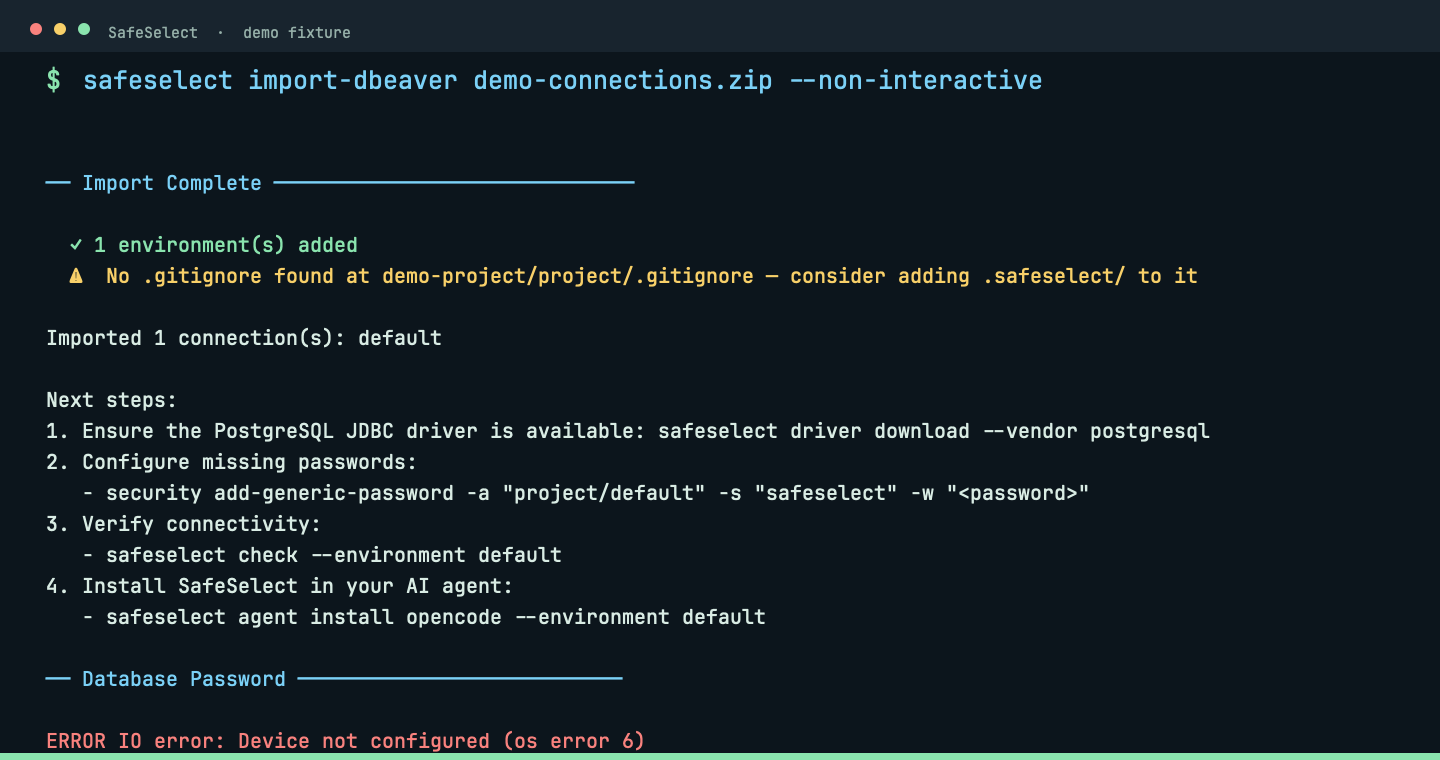
import-dbeaver
Import a DBeaver export into .safeselect/.
safeselect import-dbeaver ~/Downloads/connections.zipThe importer keeps the connection shape while leaving passwords outside project files.
 View full size ↗
Import connections
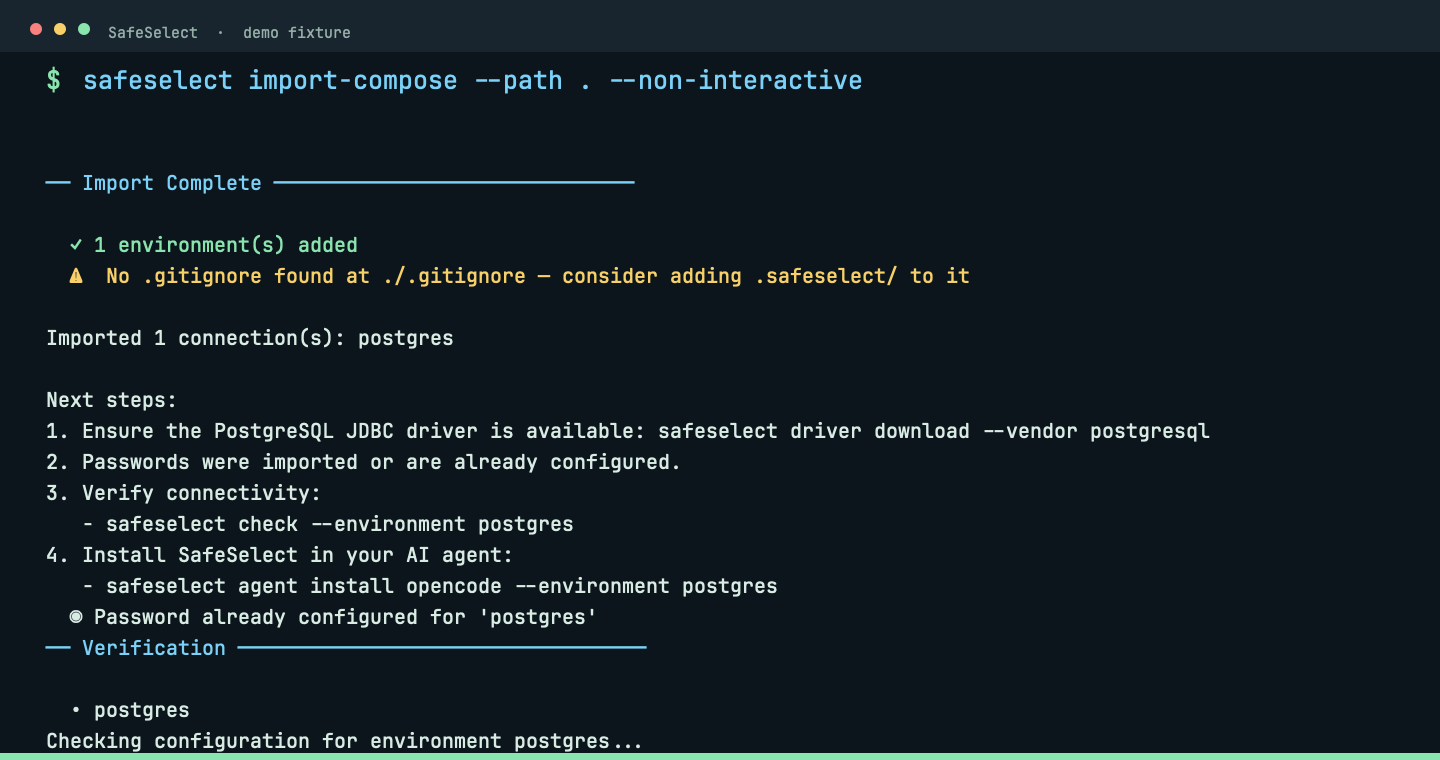
import-compose
Discover PostgreSQL services from Docker Compose.
safeselect import-compose --path .Compose discovery turns an existing local service into a project environment.
 View full size ↗
Import connections
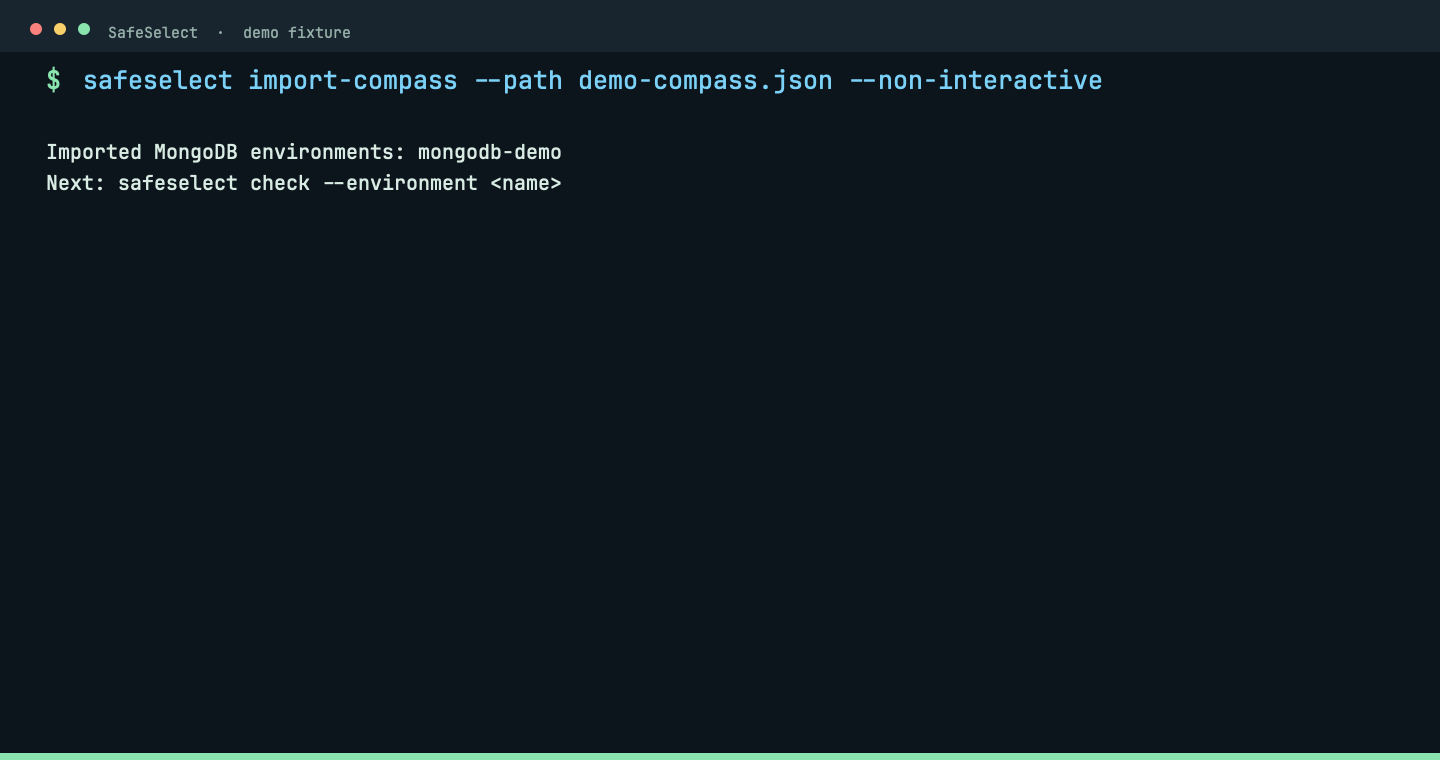
import-compass
Import MongoDB Compass connections.
safeselect import-compass --path ~/.config/MongoDB CompassCompass imports preserve MongoDB connection details without exposing credentials.
 View full size ↗
Prepare the project
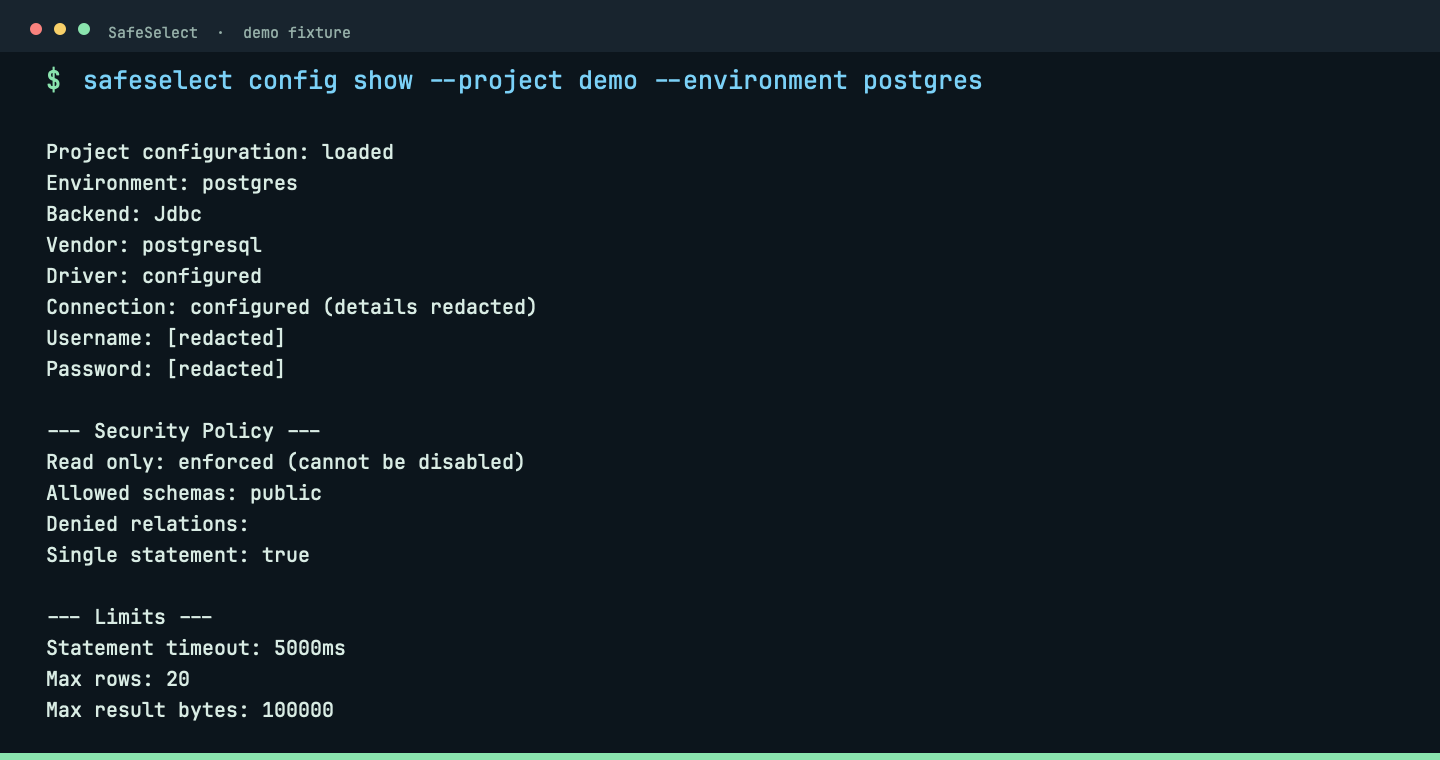
config
Validate, inspect and maintain project configuration.
safeselect config show --project demo --environment postgresConfiguration show reports a safe, redacted policy summary before the server starts.
 View full size ↗
Prepare the project
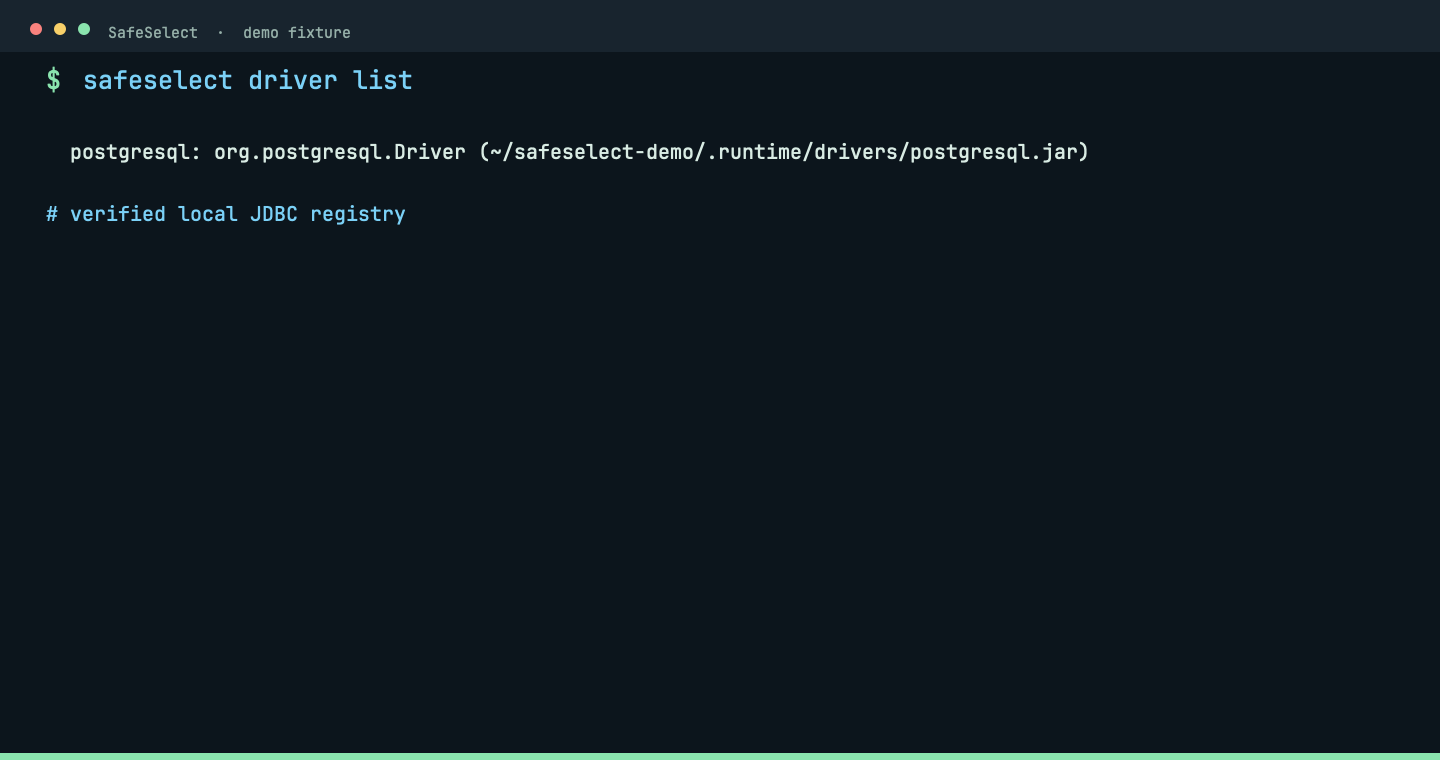
driver
Register and verify JDBC drivers.
safeselect driver listThe driver registry shows the vendor and local verified artifact.
 View full size ↗
Prepare the project
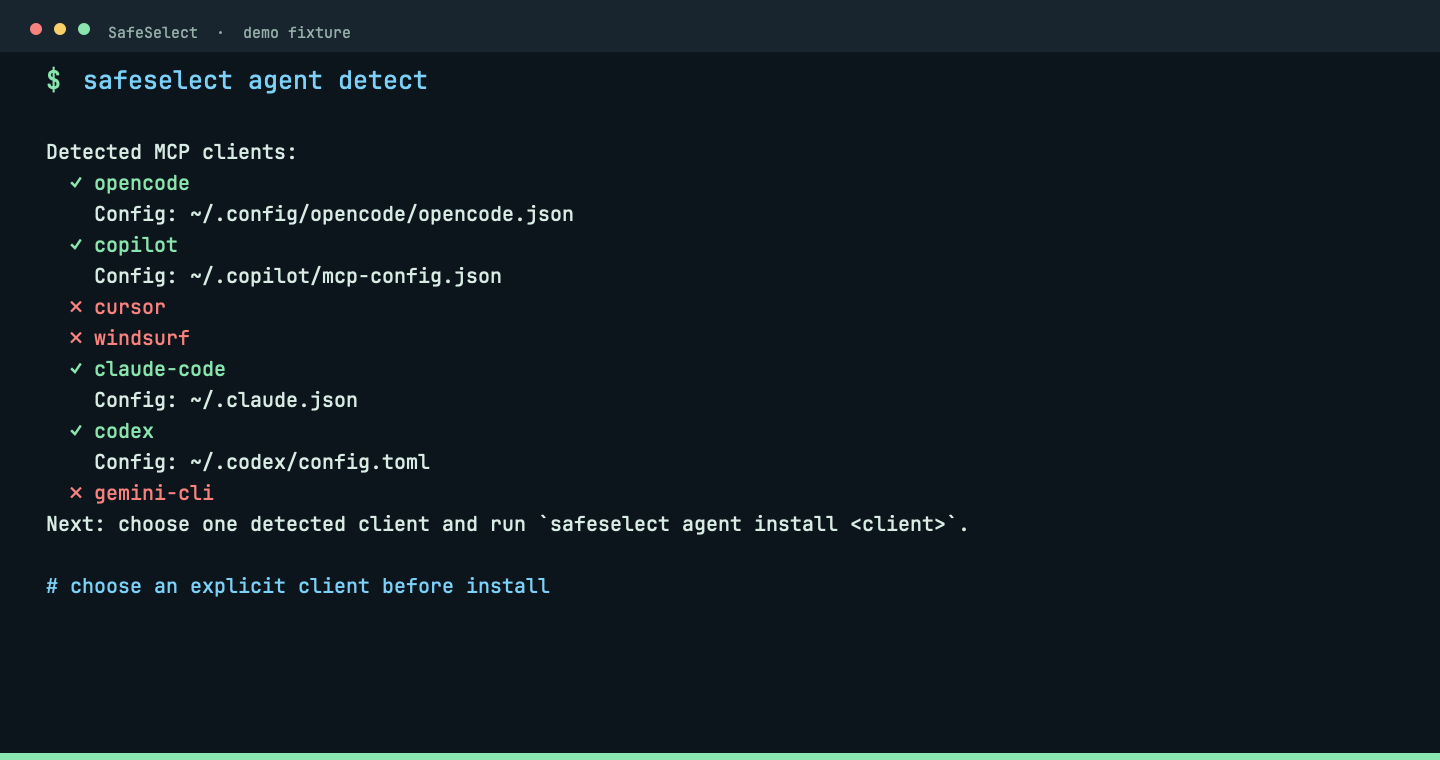
agent
Detect clients and install their MCP entry.
safeselect agent detectDetection lists available clients before an explicit project-scoped MCP install.
 View full size ↗
Verify and diagnose
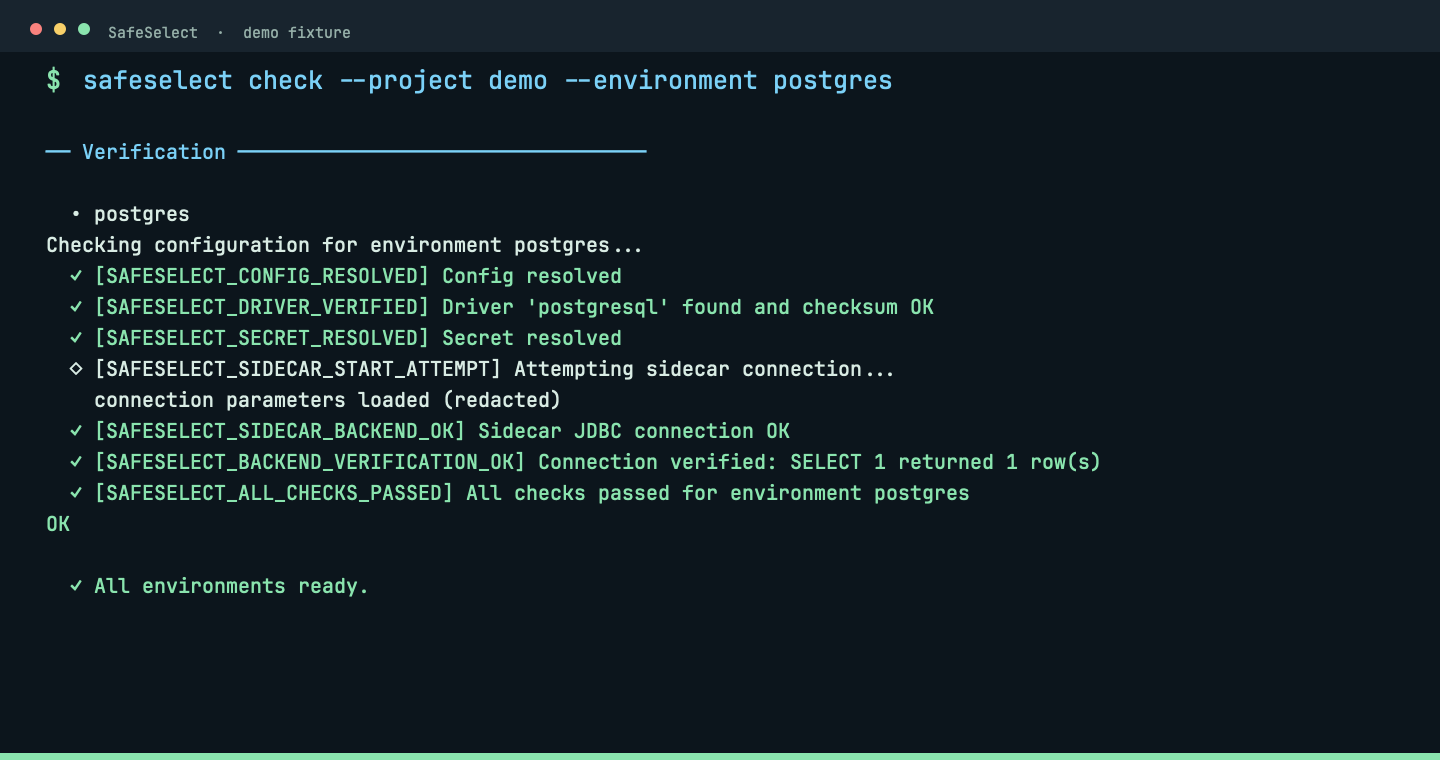
check
Test configuration, secrets, tunnels, sidecar and backend connectivity.
safeselect checkChecks follow convention and inspect every environment unless one is selected deliberately.
 View full size ↗
Verify and diagnose
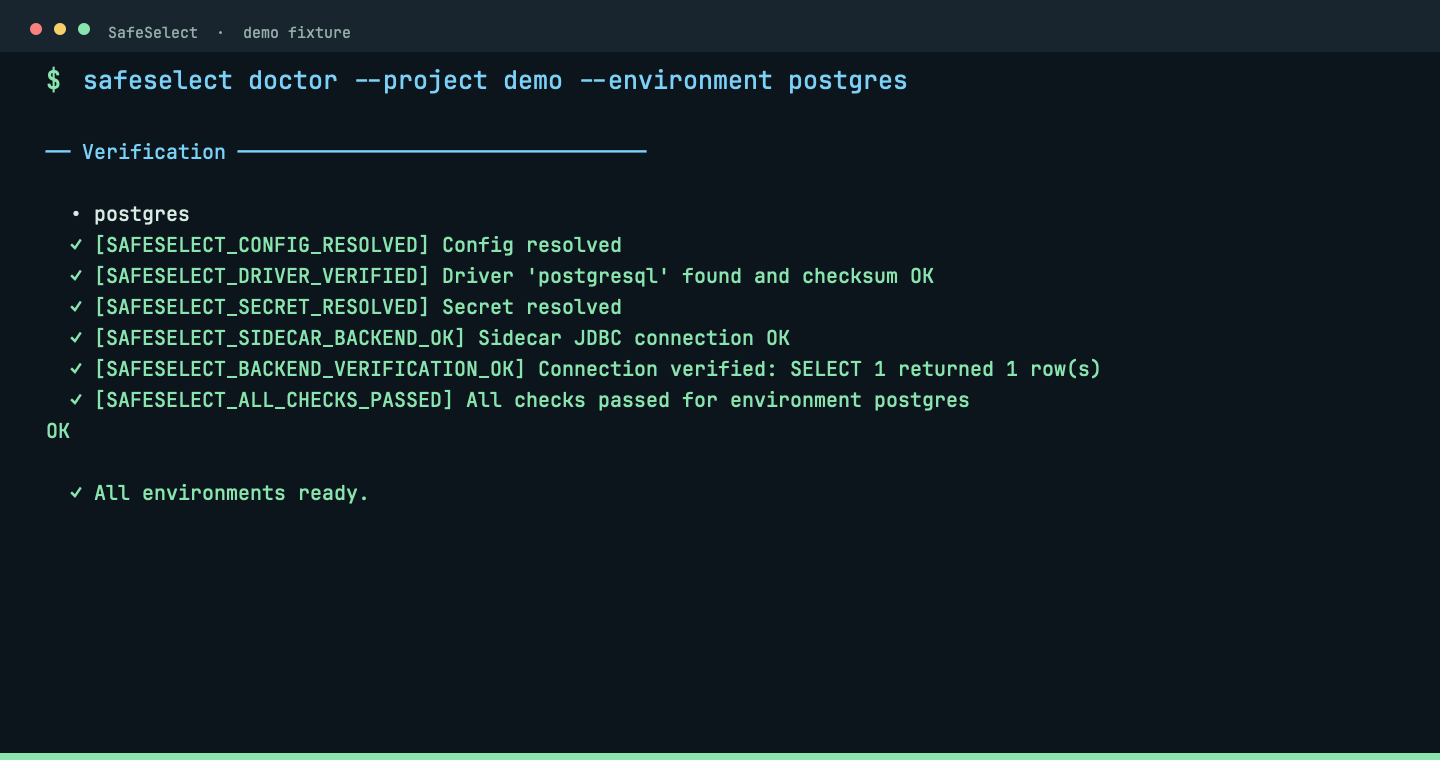
doctor
Print concise findings with stable diagnostic codes.
safeselect doctorDoctor turns a failed connection into a short next action instead of a log wall.
 View full size ↗
Verify and diagnose
posture
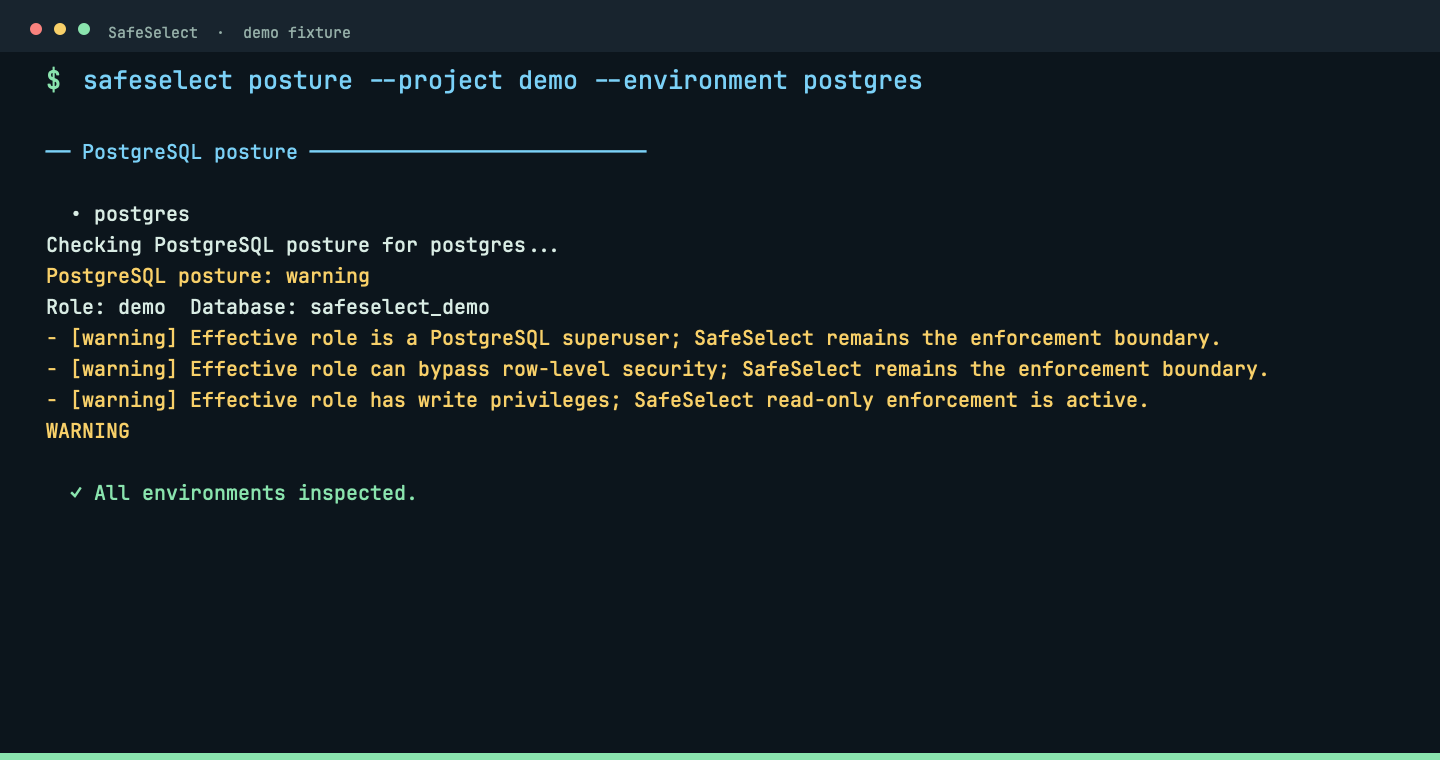
Inspect the effective PostgreSQL security posture.
safeselect posture --strictPosture shows the effective read-only policy, limits and database posture before agent use.
 View full size ↗
Manage a connection
serve
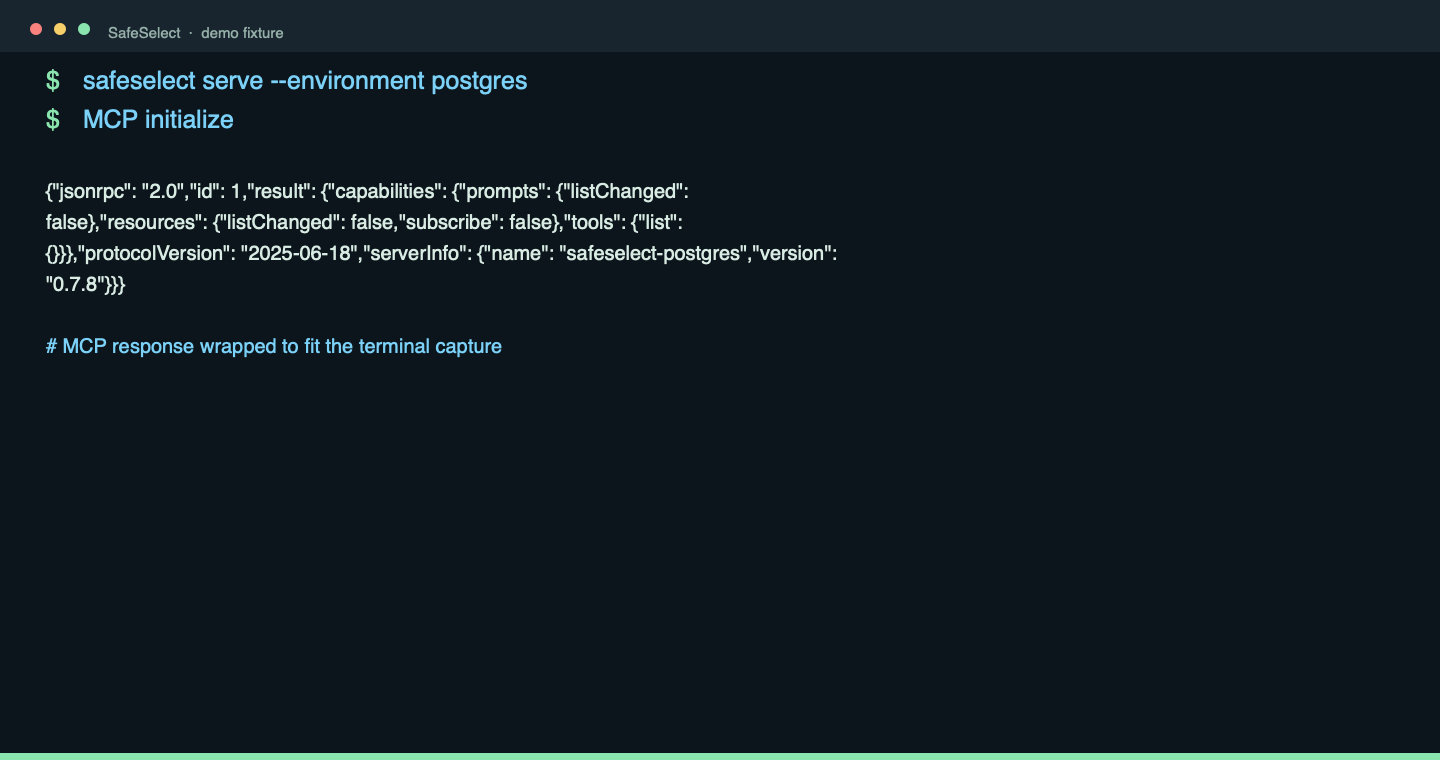
Start the local MCP server for a project environment.
safeselect serveThe server speaks local stdio: the MCP initialize response exposes SafeSelect capabilities, not a network listener.
 View full size ↗
Manage a connection
connect
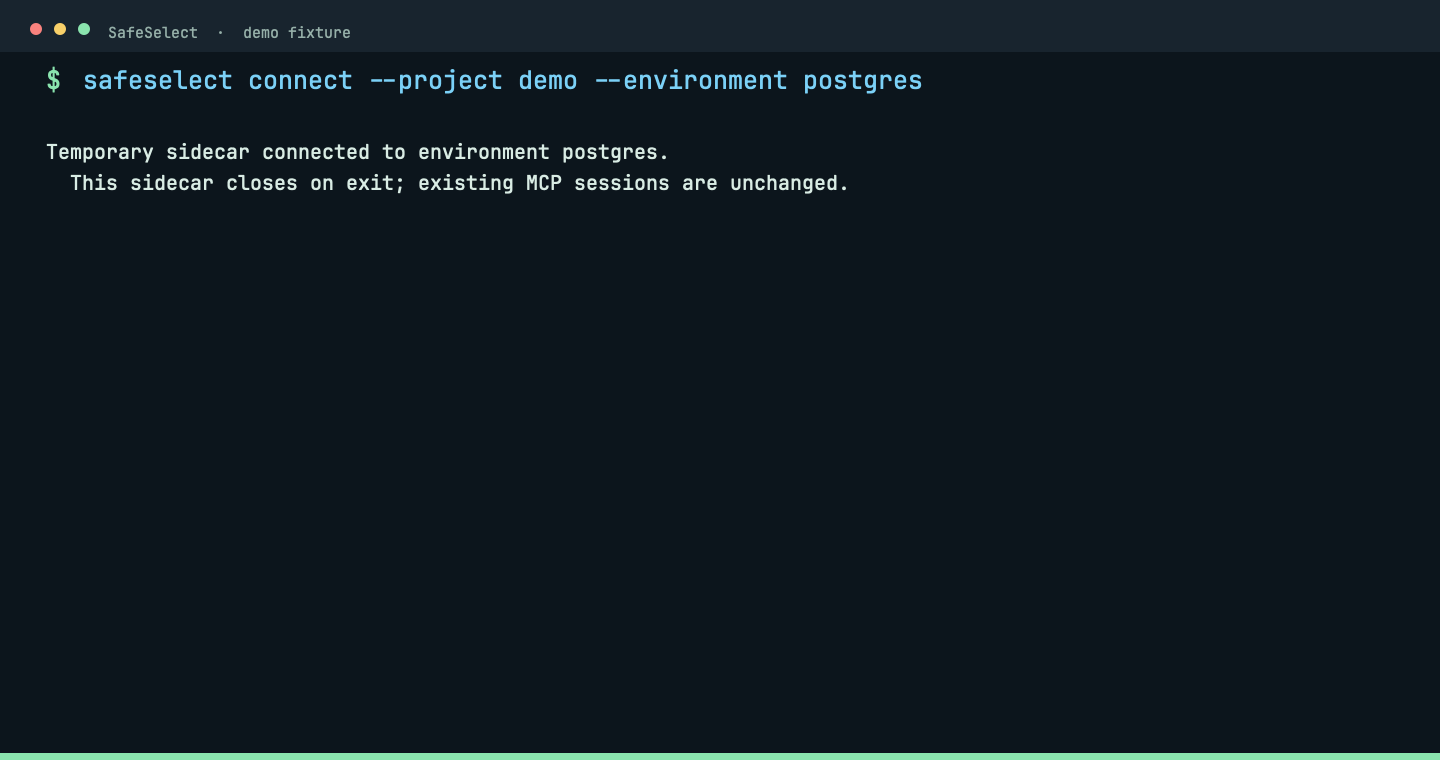
Test a temporary JDBC connection.
safeselect connectConnect verifies the temporary JDBC sidecar against the live fixture without taking over an active MCP session.
 View full size ↗
Manage a connection
disconnect
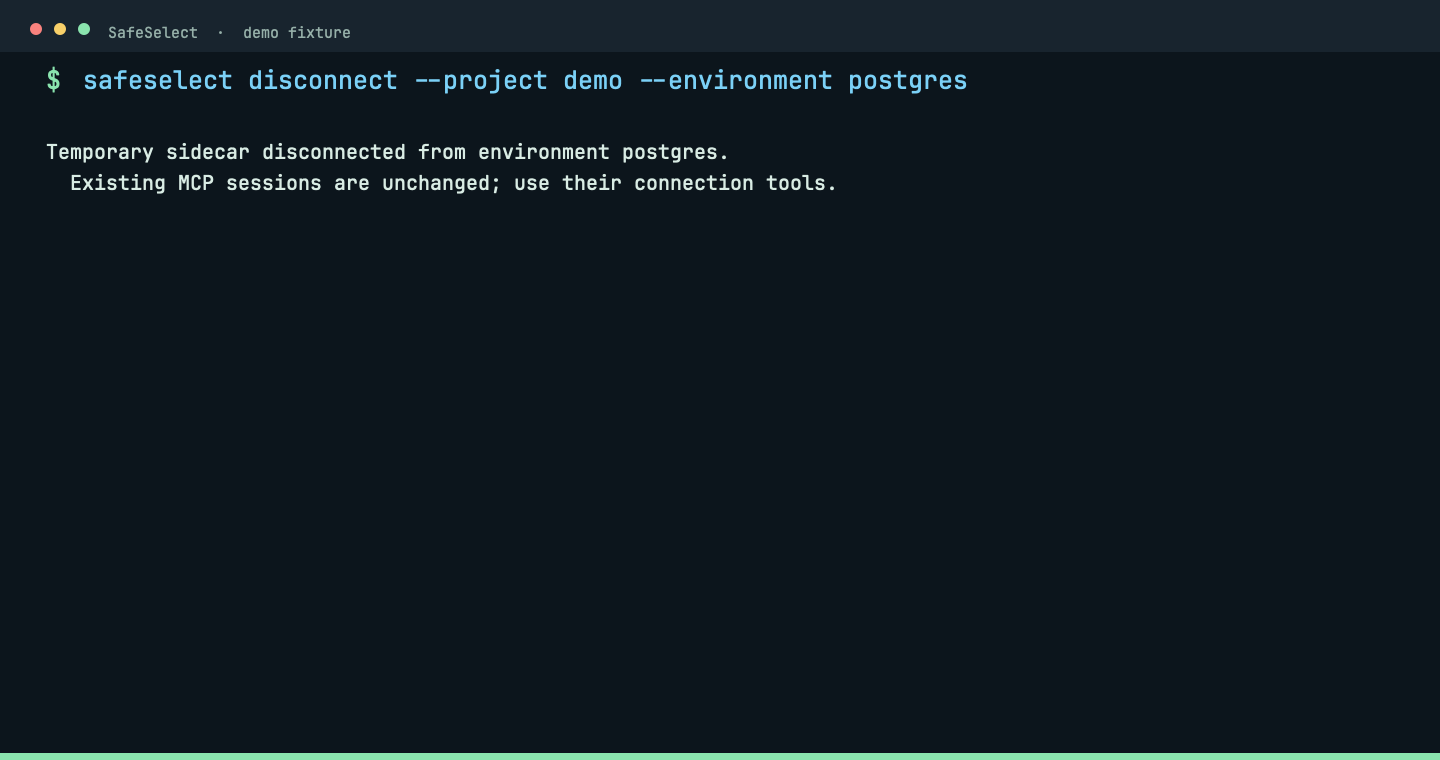
Close a temporary JDBC connection.
safeselect disconnectDisconnect cleanly closes the temporary JDBC sidecar and reports the completed lifecycle step.
 View full size ↗
Manage a connection
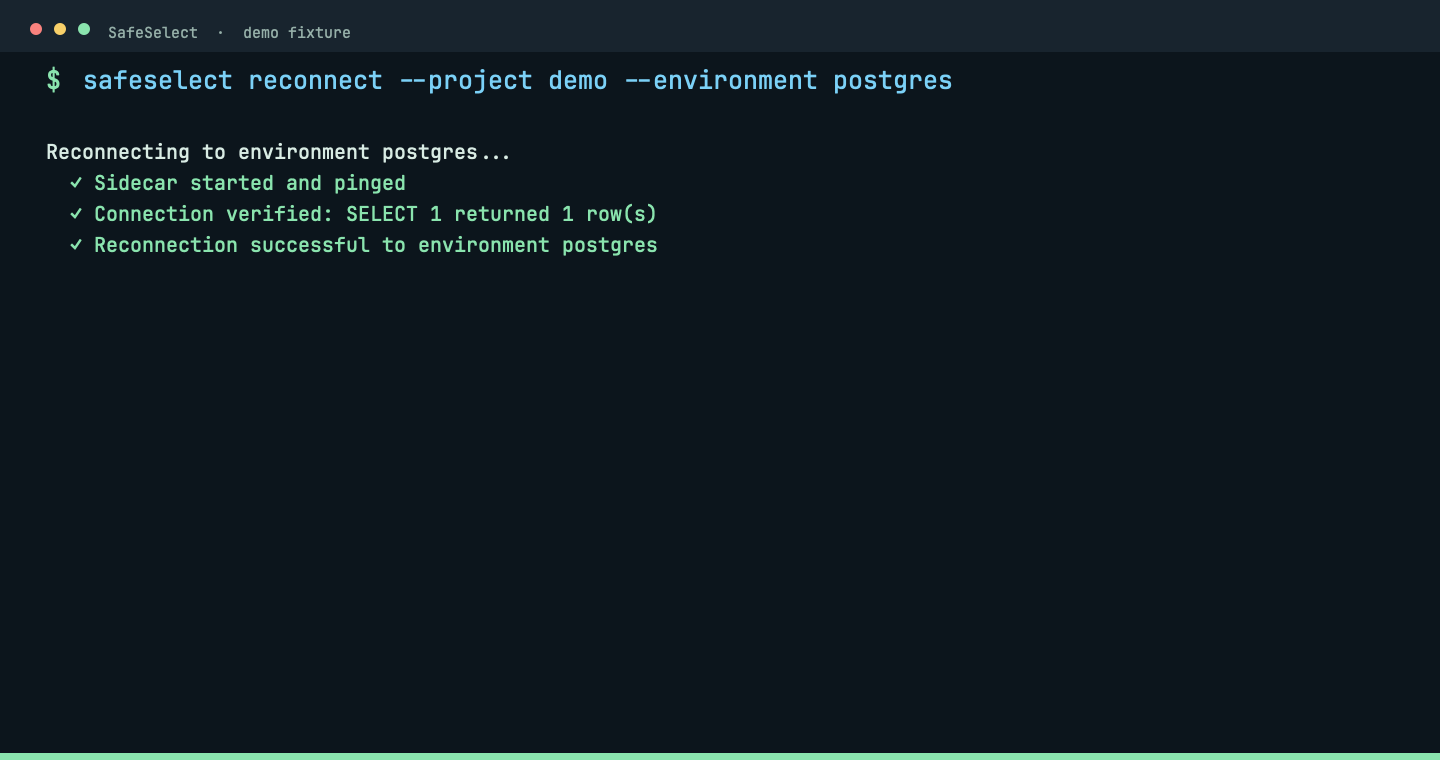
reconnect
Restart the sidecar and verify connectivity.
safeselect reconnectReconnect restarts the sidecar and verifies the live fixture instead of hiding a stale database.
 View full size ↗
Explore SQL: discover, inspect and diagnose
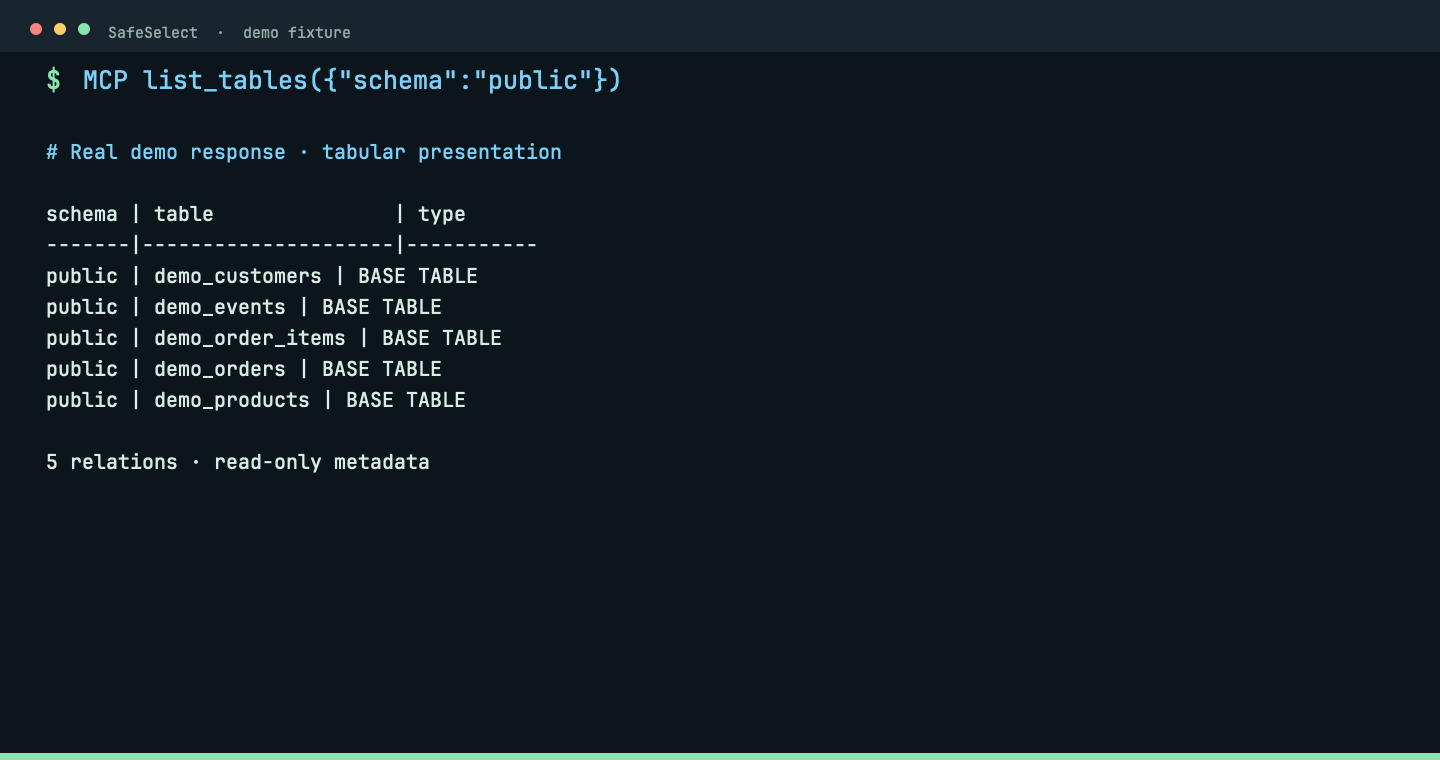
list_tables
Discover PostgreSQL tables through MCP.
list_tables({"schema":"public"})Real MCP response, formatted as a table: five synthetic relations in public. Discover exact names before inspecting columns.
 View full size ↗
Explore SQL: discover, inspect and diagnose
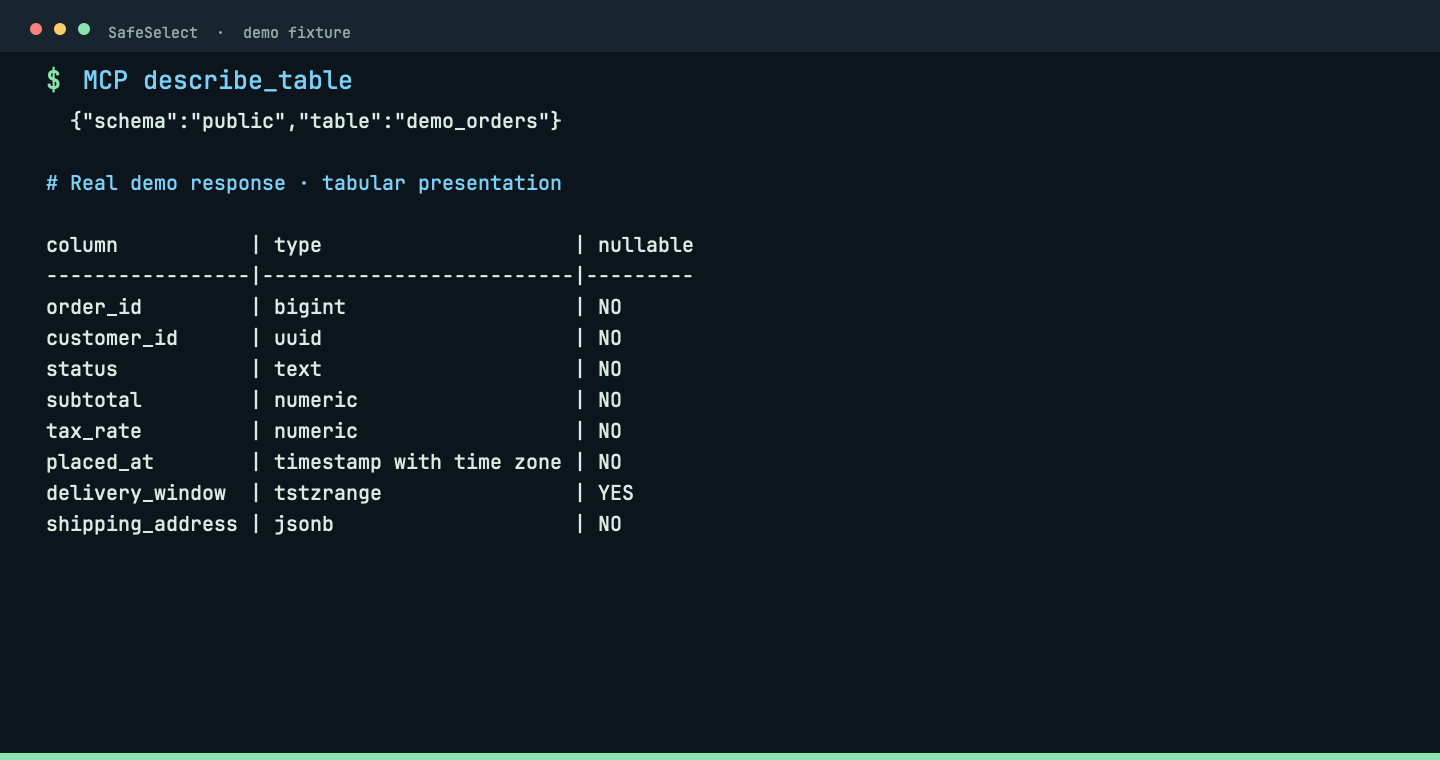
describe_table
Inspect column names, types and nullability through MCP.
describe_table({"schema":"public","table":"demo_orders"})Real MCP response, formatted as a table: eight columns including UUID, JSONB and a timestamp range. No data rows are queried.
 View full size ↗
Explore SQL: discover, inspect and diagnose
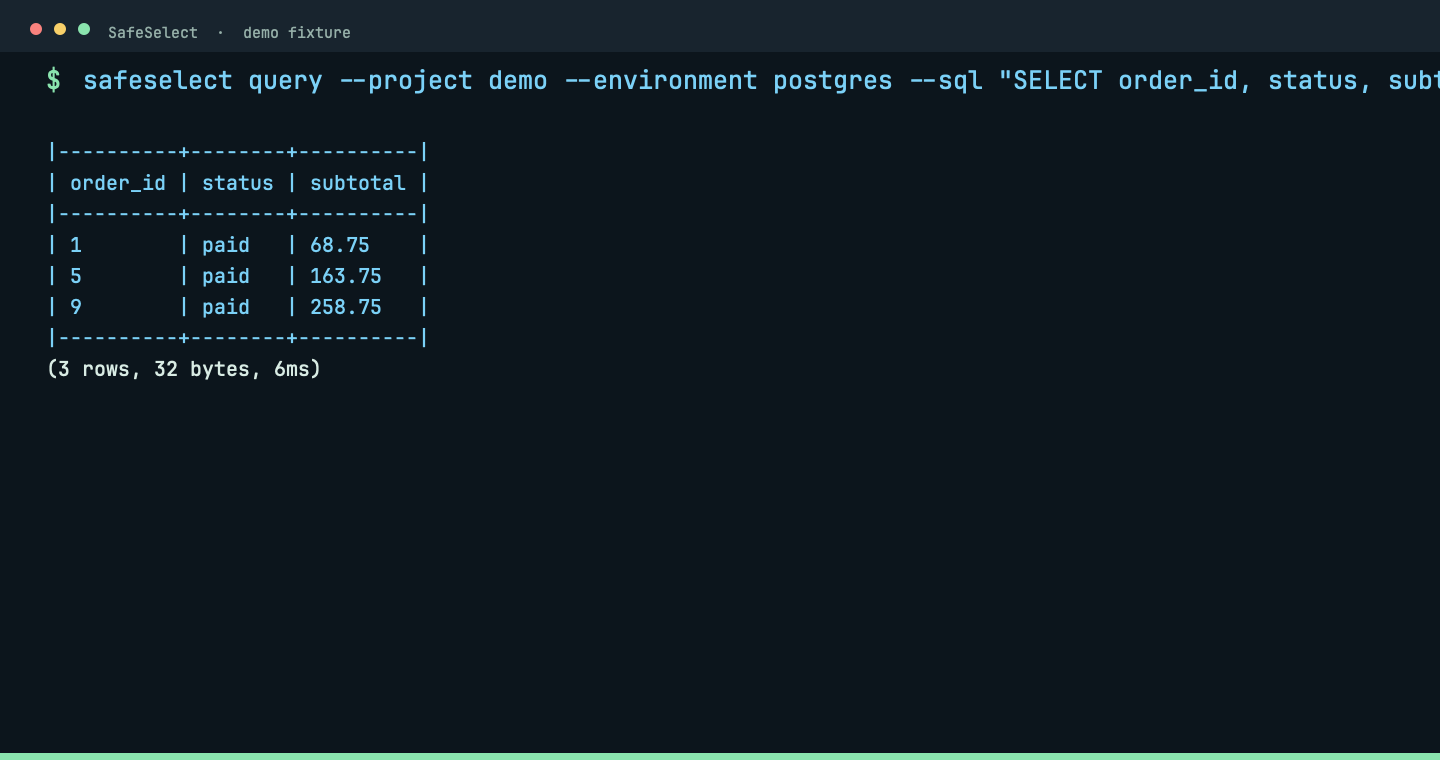
query
Execute one bounded read-only SQL statement and display its results.
safeselect query --sql "SELECT order_id, status, subtotal FROM public.demo_orders WHERE status = 'paid' LIMIT 3"The bounded SQL request returns three synthetic fixture rows with row and byte counts; writes remain rejected.
 View full size ↗
Explore SQL: discover, inspect and diagnose
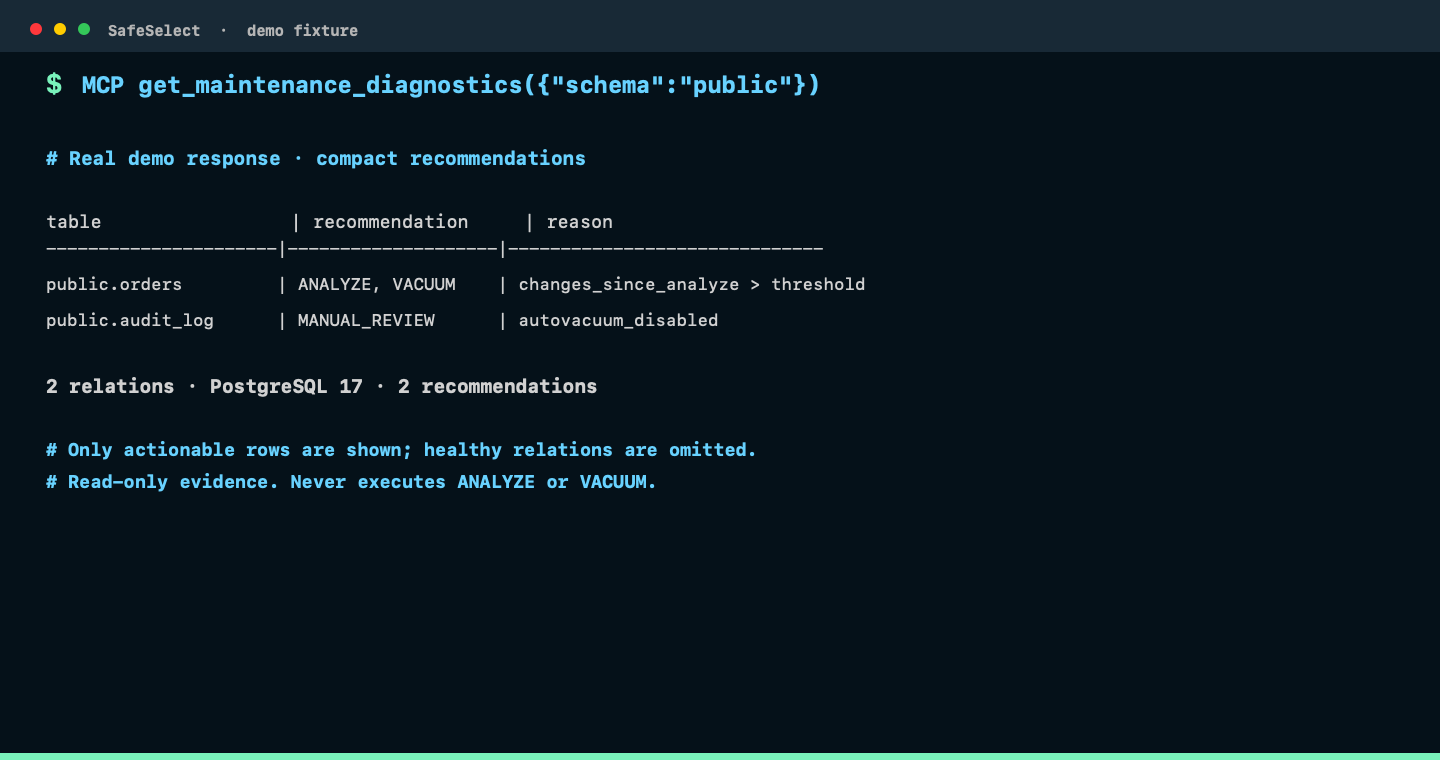
get_maintenance_diagnostics
Inspect ANALYZE and VACUUM signals without running maintenance.
get_maintenance_diagnostics({"schema":"public"})Real MCP response: a compact table containing only relations with an ANALYZE, VACUUM, or manual-review recommendation, plus summary counts. This read-only diagnostic never executes maintenance.
 View full size ↗
Explore NoSQL
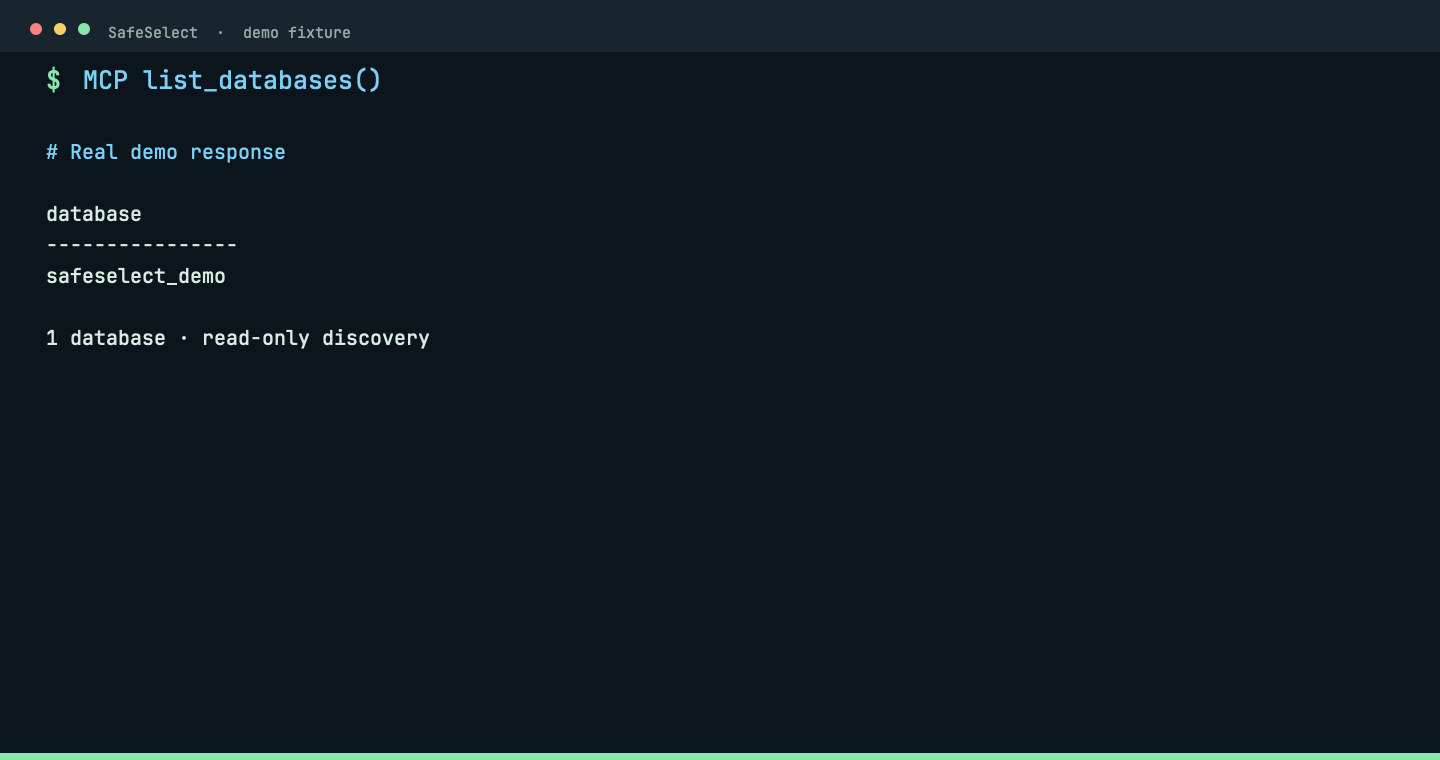
list_databases
Discover MongoDB databases through MCP.
list_databases()Real MCP response: the isolated demo exposes one allowed database. Choose it before discovering collections.
 View full size ↗
Explore NoSQL
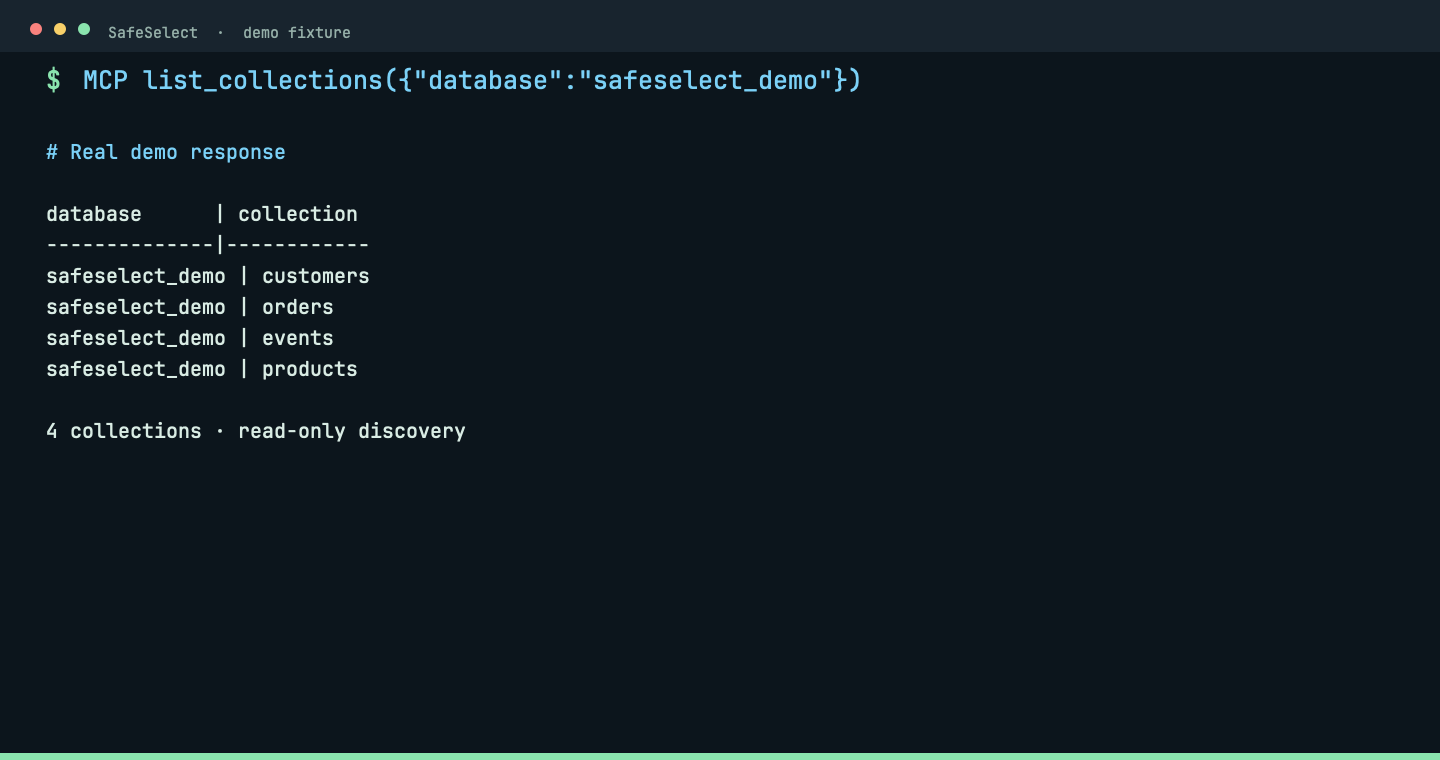
list_collections
Discover collections in an allowed MongoDB database.
list_collections({"database":"safeselect_demo"})Real MCP response: four synthetic collections are listed without reading documents.
 View full size ↗
Explore NoSQL
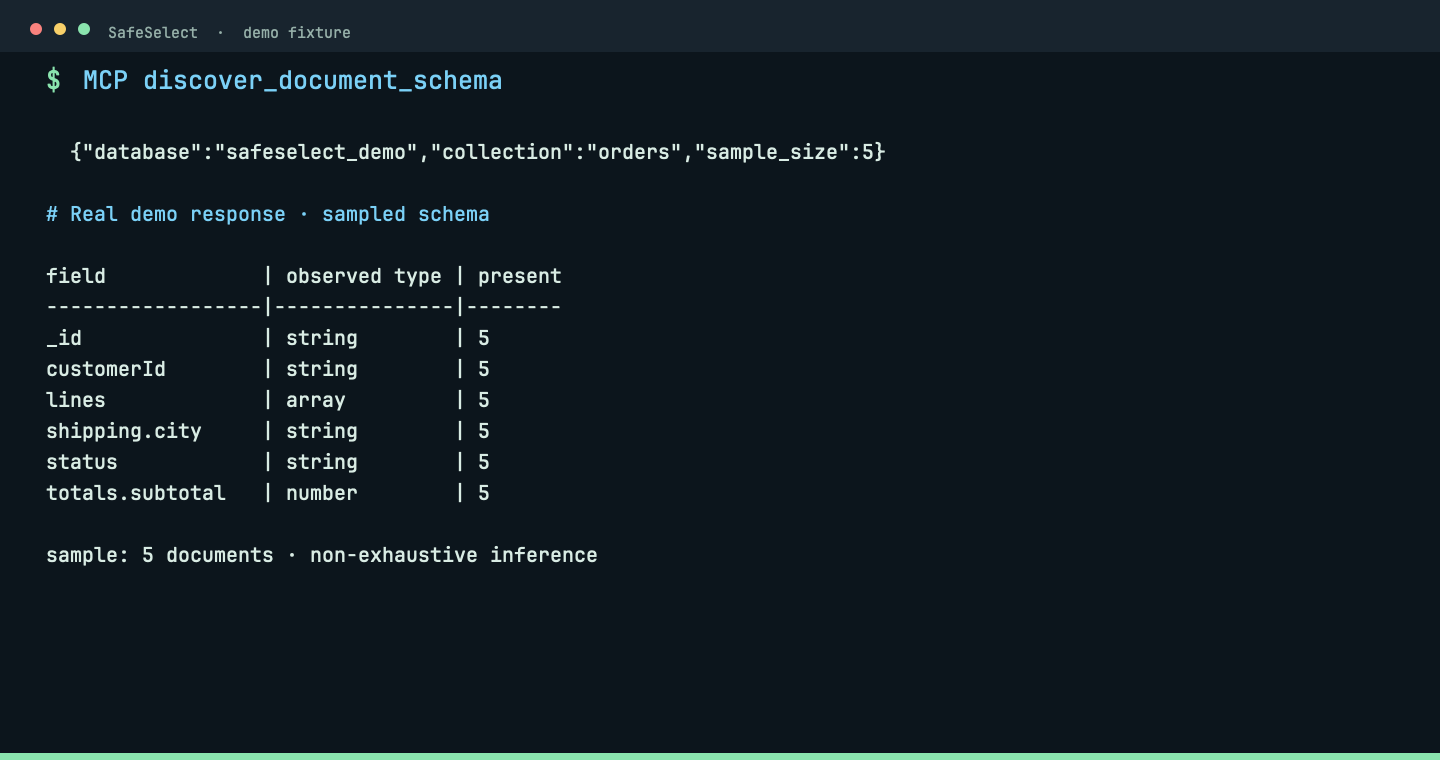
discover_document_schema
Infer frequent fields and types from a bounded MongoDB sample.
discover_document_schema({"database":"safeselect_demo","collection":"orders","sample_size":5})Real MCP response: sampled fields and observed types guide the next bounded read; inference is explicitly non-exhaustive.
 View full size ↗
Explore NoSQL
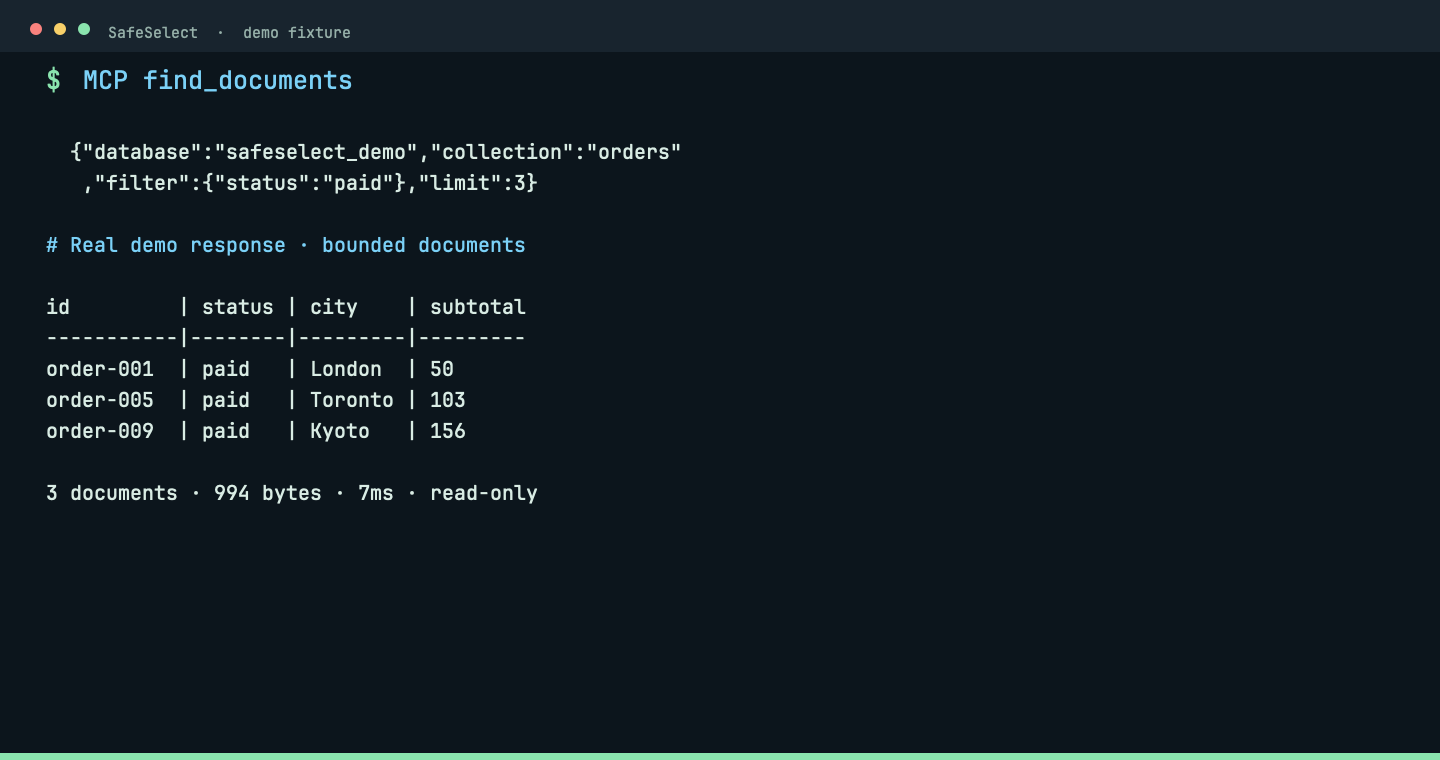
find_documents
Read bounded MongoDB documents with an explicit filter.
find_documents({"database":"safeselect_demo","collection":"orders","filter":{"status":"paid"},"limit":3})Real MCP response: three paid orders, 994 bytes, returned in 7ms. The filter and limit keep the read bounded.
 View full size ↗
Browse the complete command reference
imports
Import connections
Bring an existing DBeaver, Docker Compose or MongoDB Compass connection into the project.
Import a DBeaver export into .safeselect/.
safeselect import-dbeaver ~/Downloads/connections.zip
Discover PostgreSQL services from Docker Compose.
safeselect import-compose --path .
Import MongoDB Compass connections.
safeselect import-compass --path ~/.config/MongoDB Compass
prepare
Prepare the project
Validate local policy, install drivers and connect an AI client without repeating configuration flags.
Validate, inspect and maintain project configuration.
safeselect config show --project demo --environment postgres
Register and verify JDBC drivers.
safeselect driver list
Detect clients and install their MCP entry.
safeselect agent detect
diagnose
Verify and diagnose
Check the complete path from project policy to the database, then inspect the effective PostgreSQL posture.
Test configuration, secrets, tunnels, sidecar and backend connectivity.
safeselect check
Print concise findings with stable diagnostic codes.
safeselect doctor
Inspect the effective PostgreSQL security posture.
safeselect posture --strict
connection
Manage a connection
Start the local MCP server or exercise the temporary connection lifecycle directly.
Start the local MCP server for a project environment.
safeselect serve
Test a temporary JDBC connection.
safeselect connect
Close a temporary JDBC connection.
safeselect disconnect
Restart the sidecar and verify connectivity.
safeselect reconnect
query
Explore SQL: discover, inspect and diagnose
Discover tables and columns through MCP, run bounded SQL separately, and inspect read-only maintenance evidence.
Discover PostgreSQL tables through MCP.
list_tables({"schema":"public"})
Inspect column names, types and nullability through MCP.
describe_table({"schema":"public","table":"demo_orders"})
Execute one bounded read-only SQL statement and display its results.
safeselect query --sql "SELECT order_id, status, subtotal FROM public.demo_orders WHERE status = 'paid' LIMIT 3"
Inspect ANALYZE and VACUUM signals without running maintenance.
get_maintenance_diagnostics({"schema":"public"})
nosql
Explore NoSQL
Follow MongoDB discovery from databases to bounded documents, with sampled schema inference before reads.
Discover MongoDB databases through MCP.
list_databases()
Discover collections in an allowed MongoDB database.
list_collections({"database":"safeselect_demo"})
Infer frequent fields and types from a bounded MongoDB sample.
discover_document_schema({"database":"safeselect_demo","collection":"orders","sample_size":5})
Read bounded MongoDB documents with an explicit filter.
find_documents({"database":"safeselect_demo","collection":"orders","filter":{"status":"paid"},"limit":3})
Need the complete contract? Read the CLI source or return to the SafeSelect overview.